Grinch-Networks CTF Writeup Flag 2
S3cr3t-Ar3a
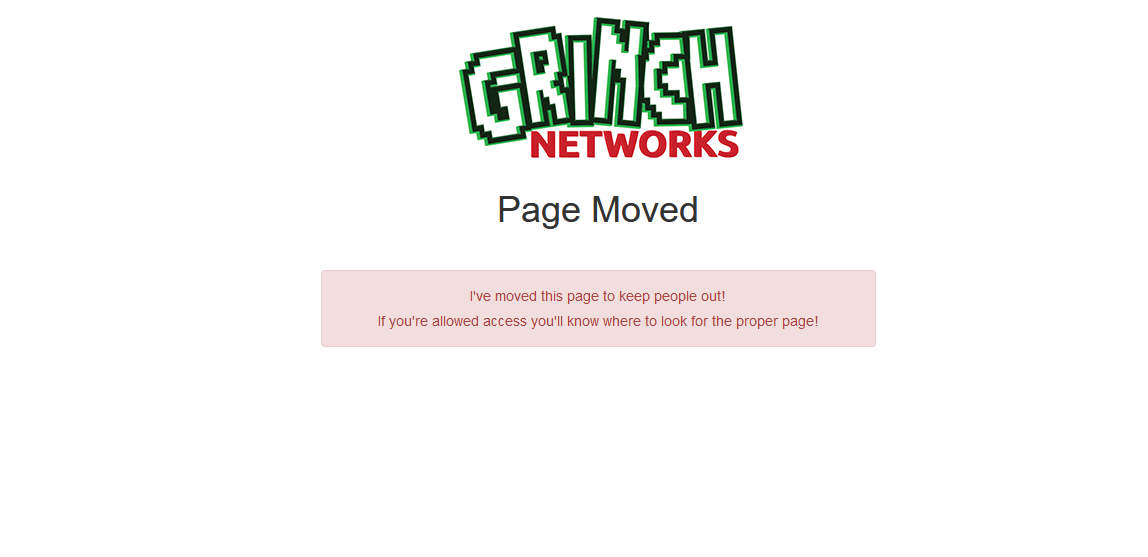
https://hackyholidays.h1ctf.com/s3cr3t-ar3a
| CWE Code | CWE Text |
|---|---|
| CWE 538 | Insertion of Sensitive Information into Externally-Accessible File or Directory |
As mentioned in the previous chapter, check the code of the webapp and understand it before running any automated tests.
So let’s have a look at the code.
<!DOCTYPE html>
<html lang="en">
<head>
    <title>Under Construction</title>
    <meta charset="utf-8">
    <meta http-equiv="X-UA-Compatible" content="IE=edge">
    <meta name="viewport" content="width=device-width, initial-scale=1">
    <link rel="stylesheet" href="https://maxcdn.bootstrapcdn.com/bootstrap/3.3.7/css/bootstrap.min.css" integrity="sha384-BVYiiSIFeK1dGmJRAkycuHAHRg32OmUcww7on3RYdg4Va+PmSTsz/K68vbdEjh4u" crossorigin="anonymous">
</head>
<body>
<div class="container" style="margin-top:20px">
    <div class="text-center"><img src="/assets/images/grinch-networks.png" alt="Grinch Networks"></div>
    <h1 class="text-center">Page Moved</h1>
    <div class="row">
        <div class="col-md-6 col-md-offset-3" style="margin-top:30px">
            <div class="alert alert-danger text-center" id="alertbox">
                <p>I've moved this page to keep people out!</p>
                <p>If you're allowed access you'll know where to look for the proper page!</p>
            </div>
        </div>
    </div>
</div>
<script src="/assets/js/jquery.min.js"></script>
<script src="https://maxcdn.bootstrapcdn.com/bootstrap/3.3.7/js/bootstrap.min.js" integrity="sha384-Tc5IQib027qvyjSMfHjOMaLkfuWVxZxUPnCJA7l2mCWNIpG9mGCD8wGNIcPD7Txa" crossorigin="anonymous"></script>
</body>
</html>
There is no flag in the source code. Really? Let’s have one more thought about the source code. The source code as we know are html files, JavaScript files, Stylesheets. In the current challenge there is code send from the server to the client as a response to the initial http request. The JavaScript will be executed within the Browsers JavaScript Engine. This JavaScript is able to manipulate the DOM (Document Object Model) after the content was received.
This is the part were our Browser Developer Tools come to play. Lets inspect the page content after the JavaScript modified the DOM (HTML Page Elements).
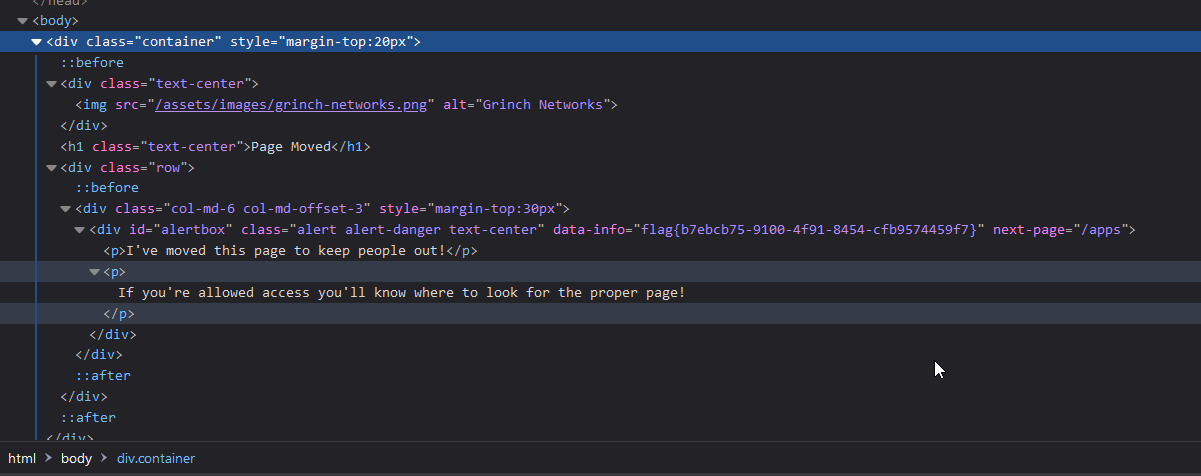 The
The data-info attribute was holds the flag and was added by JavaScript. The lecture of this challenge is an addition to the first one. Take a look on the source but be aware of client site executed JavaScript. Use the Developer Tools of the Browser to check the page content with all modifications.