Grinch-Networks CTF Writeup Flag 1
Analyzing the static files and folder structure of the web app.
robots.txt
I will try to link a common software weakness to the challenge. The flag represents some critical information / data.
| CWE Code | CWE Text |
|---|---|
| CWE 538 | Insertion of Sensitive Information into Externally-Accessible File or Directory |
As mentioned in my Intro it always good to use the brain as the first tool to start discovering. I prepared a checklist what files and folders are mostly available. On of those files is the robots.txt
Read more about robots.txt
A simple curl command or just viewing the robots.txt in your browser will give you the first flag.
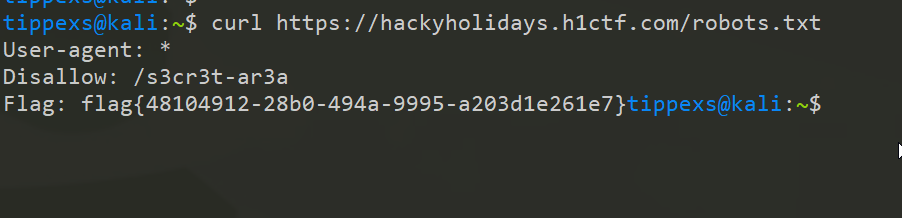 https://hackyholidays.h1ctf.com/robots.txt
User-agent: *
Disallow: /s3cr3t-ar3a
Flag: flag{48104912-28b0-494a-9995-a203d1e261e7}
There you go! Flag 1.
But let’s keep focused on the robots.txt file. There is a path thats marked as “disallowed”.
What does this mean?
The disallow directive specifies paths that must not be accessed by the designated crawlers. When no path is specified, the directive is ignored.
developers.google.com The Grinch wants the search crawler stay away from that path. Let’s have look. Challenge 2